Rotate AWS Secrets Manager Secrets Without Restarting Your Go Service, with mamori (English)
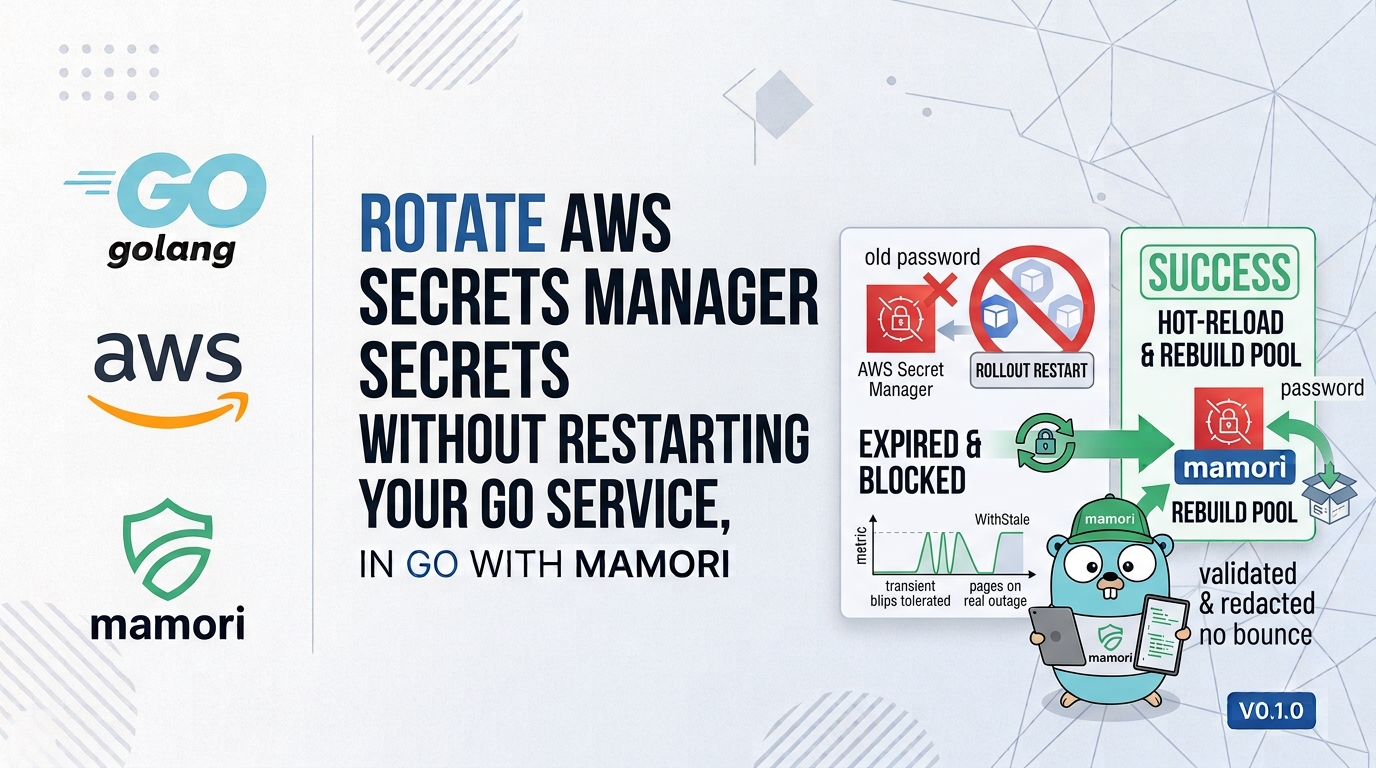
AWS Secrets Manager will happily rotate your database password every 30 days. The problem is your Go service, which read that password once at boot and has no idea it changed. mamori closes that gap: it watches Secrets Manager and Parameter Store and reconciles rotations into your running process, typed, validated, and redacted.
- Introduction
- The two AWS schemes
- Setup
- Load, then watch the rotation
- Polling done right (jitter, batching, atomicity)
- Tolerate a blip, page on a real outage
- Mixing sources in one struct
- Wrapping up
Introduction
AWS Secrets Manager has a lovely feature: automatic rotation. You attach a rotation Lambda, set a schedule, and every 30 days your RDS password is rotated for you. Secure by default, no human involved.
There’s just one problem, and it’s the one nobody mentions in the demo: your application has no idea it happened.
Your Go service read SecretString once, at startup, and stashed the password in a struct. Thirty days later Secrets Manager quietly rotates it, the old value stops working, your connection pool starts throwing auth errors, and you find out via a pager alert at 3am. The “fix” everyone reaches for is to redeploy on a schedule, or restart pods so the app re-reads the secret — which turns a security feature into an operational chore.
mamori is a Go library I built to close exactly this gap. It watches AWS Secrets Manager (and SSM Parameter Store) and reconciles a rotation into your running process — typed, validated, redacted — so a rotation triggers a connection-pool rebuild instead of a restart.
This is the AWS-focused companion to the launch article, Introducing mamori: Typed, Watchable Config & Secrets for Go. Read that first for the full model; here we go deep on AWS.
The two AWS schemes
The providers/aws module registers two ref schemes:
| Ref | Reads from |
|---|---|
aws-sm://<name>[#json-key] | Secrets Manager |
aws-ps://<name>[#json-key] | SSM Parameter Store |
A few real refs — note the triple slash on Parameter Store, because SSM parameter names are absolute paths that start with /:
aws-sm://prod/api-key            # whole secret value
aws-sm://prod/db#password        # one key out of a JSON secret
aws-ps:///myapp/log-level        # SSM parameter (triple slash!)
aws-ps:///myapp/db#password      # one key out of a JSON SSM parameter
The rule of thumb: secrets (passwords, tokens, keys) belong in Secrets Manager (aws-sm), and plain, non-sensitive config (log levels, worker counts, feature toggles) belongs in the cheaper Parameter Store (aws-ps). mamori lets you mix both in the same struct.
Setup
go get github.com/xavidop/mamori
go get github.com/xavidop/mamori/providers/aws
Register it with a blank import for zero-config (it uses the standard AWS credential chain — environment, shared config, IRSA on EKS, EC2 instance role):
import _ "github.com/xavidop/mamori/providers/aws"
Or, when you need to pin a region or pass a custom client, construct the provider explicitly and hand it to Load/Watch with WithProvider — this takes precedence over the registry for that call:
import awsprov "github.com/xavidop/mamori/providers/aws"

cfg, err := mamori.Load[Config](ctx,
	mamori.WithProvider(awsprov.NewSecretsManager(awsprov.WithRegion("eu-west-1"))),
)
Your runtime’s IAM role needs the obvious permissions, scoped tightly:
{
  "Version": "2012-10-17",
  "Statement": [
    { "Effect": "Allow", "Action": "secretsmanager:GetSecretValue", "Resource": "arn:aws:secretsmanager:eu-west-1:123456789012:secret:prod/*" },
    { "Effect": "Allow", "Action": "ssm:GetParameter",              "Resource": "arn:aws:ssm:eu-west-1:123456789012:parameter/myapp/*" }
  ]
}
Load, then watch the rotation
Here’s a service that pulls its database password from Secrets Manager and its operational knobs from Parameter Store:
package main

import (
	"context"
	"log"
	"time"

	"github.com/xavidop/mamori"
	"github.com/xavidop/mamori/secret"

	_ "github.com/xavidop/mamori/providers/aws"
)

type Config struct {
	DBPassword secret.String `source:"aws-sm://prod/db#password"`
	APIKey     secret.String `source:"aws-sm://prod/api-key"`
	LogLevel   string        `source:"aws-ps:///myapp/log-level" default:"info" validate:"oneof=debug info warn error"`
	Workers    int           `source:"aws-ps:///myapp/workers" default:"4" validate:"gte=1,lte=256"`
}

func main() {
	ctx := context.Background()

	w, err := mamori.Watch[Config](ctx,
		mamori.WithPollInterval(60*time.Second),
		mamori.OnChange(func(ev mamori.Change[Config]) {
			if ev.Changed("DBPassword") {
				// A rotation just landed — rebuild the pool, no restart.
				pool.Rotate(ev.New.DBPassword.Reveal())
				log.Println("database password rotated and applied live")
			}
		}),
		mamori.OnError(func(err error) { metrics.Inc("config_error") }),
	)
	if err != nil {
		log.Fatal(err)
	}
	defer w.Close()

	cfg := w.Get()
	log.Printf("started with %d workers at %s", cfg.Workers, cfg.LogLevel)
}
DBPassword and APIKey are secret.String, so they redact themselves everywhere — log.Printf("%+v", cfg) prints [REDACTED], json.Marshal emits "[REDACTED]", and slog logs them as [REDACTED]. The plaintext only ever escapes through an explicit .Reveal(). mamori even ships a go vet analyzer that fails the build if you put an aws-sm:// value into a plain string instead of a secret.String.
Polling done right (jitter, batching, atomicity)
Secrets Manager has no push notification for value changes, so mamori polls — but it polls the way you’d want a fleet to poll:
- Jittered intervals. The poll interval is spread by ±20% by default, so 200 pods don’t all hit
GetSecretValueon the same tick and blow through your API rate limit. You can tune the spread withWithJitter. - Change detection is cheap. mamori compares the secret’s version (Secrets Manager’s
VersionId) before doing anything, so an unchanged secret costs one lightweight check, not a full re-decode. - Batching. The AWS provider resolves multiple refs from the same account in as few API calls as possible, automatically — so a struct with ten
aws-sm://fields doesn’t mean ten times the API traffic. - Atomic + validated. When a rotation is detected, mamori re-validates the entire struct and only swaps it in if it’s valid.
OnChangenever fires with a half-updated or invalid config.
Compare this to the AWS Secrets Manager caching client: it caches and refreshes one secret at a time, with no struct composition, no validation, no diff-aware callback, and no config sources beyond Secrets Manager. mamori gives you the whole config surface — secrets and Parameter Store and env and files — in one typed struct with one reconciliation loop.
Tolerate a blip, page on a real outage
Secrets Manager occasionally throttles or has a transient error. You don’t want that to page anyone — a blip should just retry with backoff and keep serving the last good value. But if Secrets Manager is genuinely unreachable for ten minutes, that’s worth waking someone up. WithStale draws that line:
w, err := mamori.Watch[Config](ctx,
	mamori.WithStale(10*time.Minute),
	mamori.OnError(func(err error) {
		var stale *mamori.StaleError
		if errors.As(err, &stale) {
			pager.Page("AWS config stale >10m", stale)
			return
		}
		metrics.Inc("aws_transient_error") // blips: just a metric
	}),
)
Mixing sources in one struct
The real payoff shows up when your config isn’t all in one place. mamori doesn’t care that these live in four different systems — it’s one struct:
type Config struct {
	DBPassword secret.String `source:"aws-sm://prod/db#password"`     // Secrets Manager
	Workers    int           `source:"aws-ps:///myapp/workers"`       // Parameter Store
	LogLevel   string        `source:"env:LOG_LEVEL" default:"info"`  // environment
	TLSCert    []byte        `source:"file:///etc/tls/tls.crt"`       // local file
}
Wrapping up
Automatic rotation is only half a feature if your app has to restart to notice. mamori supplies the other half: it watches AWS Secrets Manager and Parameter Store and reconciles a rotation into your running Go service — typed, validated, redacted, no bounce.
go get github.com/xavidop/mamori/providers/aws
- Full introduction: Introducing mamori
- Docs: mamorigo.dev/docs
- Source: github.com/xavidop/mamori
mamori is MIT-licensed and at v0.1.0 — early days, so feedback and issues are genuinely welcome. Happy coding!