Why a Dev UI is Non-Negotiable for Building AI Apps: Genkit Dev UI vs Vercel AI DevTools vs Mastra Studio (English)
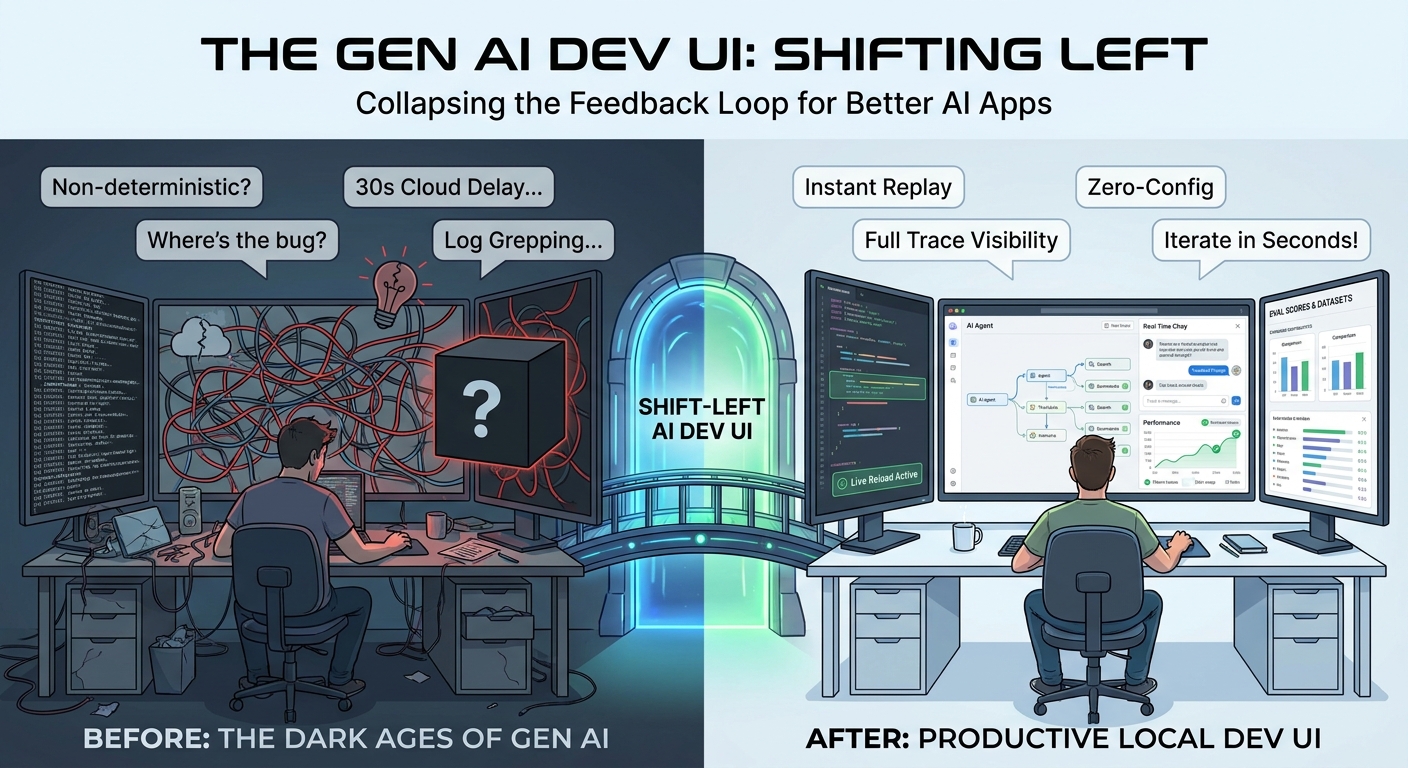
Building AI applications without a local Dev UI is like writing backend code without a debugger. A look at the “shift-left” philosophy applied to Gen AI development, and a hands-on comparison of Genkit Developer UI, Vercel AI SDK DevTools and Mastra Studio.
- Introduction
- Shift-left, applied to Gen AI
- Genkit Developer UI: dev-first, by design
- Vercel AI SDK DevTools: the simplest, but not the deepest
- Mastra Studio: the heaviest, with an eval-and-experiment slant
- Side-by-side comparison
- When I would pick which
- The moral of the story: pick a Dev UI, any Dev UI
- Conclusion
Introduction
If you have ever shipped a backend service without a debugger, a hot-reload dev server or decent logs, you remember how painful it was. Now imagine doing it in a world where your “function” is a non-deterministic black box that can rewrite its own output every time you call it. Welcome to building Gen AI applications.
The single biggest productivity multiplier I have found in the last two years of shipping AI apps is a good local Dev UI. Not a hosted dashboard. Not a cloud trace viewer with a 30-second propagation delay. A local UI that runs next to your code, picks up your edits, lets you replay a flow with a tweaked prompt, and shows the full trace, tool call by tool call.
This article is about why that matters and how the three leading JS/TS Gen AI frameworks approach it:
Spoiler: they are very different products solving overlapping problems, and only one of them is truly dev-first.
Shift-left, applied to Gen AI
“Shift-left” comes from the world of testing and security: the earlier in the development lifecycle you catch a problem, the cheaper it is to fix. Bugs found in production cost orders of magnitude more than bugs found while you’re typing.
Gen AI apps make this principle existential, not just economical, because the failure modes are weirder:
- A prompt regression doesn’t show up as a stack trace. It shows up as the wrong tone, a hallucinated fact or a tool call that misfires once every twenty runs.
- A new model version can quietly change behavior across thousands of code paths with no warning.
- A tool that returns slightly different JSON can cause silent downstream breakage.
The only way to keep your sanity is to collapse the feedback loop to seconds. You want to be able to:
- Change a prompt or a flow.
- Re-run that exact unit, with that exact input.
- See the model’s input, its output, every tool call, every retry, every token used.
- Compare it to the previous run.
- Decide if it’s better, worse or different.
If any one of those steps requires deploying, redeploying, opening a cloud console or grep’ing logs, you have already lost. Cycle time is the metric. A Dev UI is what makes that cycle time low enough to iterate productively.
What “good” looks like
After working with all three of the tools below, I would summarize the qualities of a good Gen AI Dev UI as:
- Zero-config or near-zero-config — it should pick up your code, not the other way around.
- Live reload — edit a flow, save, hit “run” again. No restart.
- Action runners — invoke any flow, prompt, tool, retriever or model directly with arbitrary input.
- Full traces — every step of the generation loop, with input/output/usage at each node.
- Replay and modify — re-run any past trace with a tweak.
- No code changes required — the framework should be observable by default, not because you remembered to wrap something.
Let’s see how each tool stacks up.
Genkit Developer UI: dev-first, by design
The Genkit team treats the Developer UI as a first-class citizen of the framework, not a side project. It ships with the genkit-cli package and, crucially, requires no code changes in your application to work.
You install the CLI once globally:
npm install -g genkit-cli
And then start your app under it:
genkit start -- npx tsx --watch src/index.ts
That’s it. Genkit attaches to your running Node process, discovers every flow, prompt, model, tool, retriever, indexer, embedder and evaluator you have defined, and exposes them all in a local web app at http://localhost:4000.
Telemetry API running on http://localhost:4033
Genkit Developer UI: http://localhost:4000
What you actually get inside:
- Action runners for everything. Any flow, any prompt, any tool, any model, all of them get an interactive panel where you fill out the input (validated against the Zod schema) and hit run.
- Full traces with the entire generation graph: every model call, every tool invocation, every middleware, with input/output/usage tokens.
- Live reload. Combined with
--watch, edits to your code show up without restarting the UI. - Prompt iteration. Tweak prompts and re-run inline.
- Evals. Run evaluators against datasets directly from the UI.
- Open by default. Add
-oto auto-open in your browser.
The thing that makes this special is observability by default. You do not “wrap” your model. You do not add a middleware just to see traces. Anything you defined with the Genkit primitives, flows, prompts, tools, is automatically introspected and traced. This is precisely what shift-left feels like: the cost of “let me see what’s happening” is essentially zero.
If you also use the middleware system, every middleware also shows up in the trace, which makes debugging things like retries and fallbacks a breeze.
Vercel AI SDK DevTools: the simplest, but not the deepest
Vercel introduced the AI SDK DevTools more recently and it is, I want to be fair, a great improvement over having nothing. But the design philosophy is fundamentally different from Genkit’s: it is a middleware-based capture tool, not an integrated dev environment.
You opt in by wrapping your model:
import { wrapLanguageModel, gateway } from 'ai';
import { devToolsMiddleware } from '@ai-sdk/devtools';

const model = wrapLanguageModel({
  model: gateway('anthropic/claude-sonnet-4.5'),
  middleware: devToolsMiddleware(),
});
And then run the viewer in another terminal:
npx @ai-sdk/devtools
# open http://localhost:4983
What it captures:
- Input parameters and prompts.
- Output content and tool calls.
- Token usage and timing.
- Raw provider request/response payloads.
- Multi-step interactions are grouped into “runs” with multiple “steps”.
So far so good. But there are real trade-offs:
- It requires code changes. Every model you want to observe has to be wrapped explicitly. In a real codebase with many models, this means either a shared factory or a lot of repeated wrapping. If you forget on one path, you have a blind spot.
- It only sees what the language model middleware sees. Anything happening above the model layer (your own application logic, custom flow orchestration, business steps) is invisible unless you add it.
- No action runners. It is a viewer of past calls, not an interactive playground. You cannot “re-run this with a different prompt” from the UI; you go back to your code.
- No flow/agent/tool browser. It does not enumerate your AI primitives because, in the Vercel AI SDK, those are just functions in your codebase. There is nothing to enumerate at runtime.
- Storage is a JSON file (
.devtools/generations.json). The team is clear that this is local-only, never for production, and the middleware automatically appends.devtoolsto your.gitignore.
In other words: Vercel AI SDK DevTools is the simplest tool of the three to drop into an existing project. It is also the shallowest in terms of what it surfaces, and the only one that demands you modify your code to be observable.
If you live inside Next.js and the AI SDK and you just want a “what just happened?” panel, it is genuinely useful. If you are debugging a multi-step agent with custom orchestration, you’ll quickly want more.
Mastra Studio: the heaviest, with an eval-and-experiment slant
Mastra Studio takes the most opinionated approach. It is bundled with mastra dev and runs at http://localhost:4111, doubling as a runtime UI and a deployable team console (you can ship Studio to production for non-developers).
Out of the box, it gives you:
- Agents tab — chat with your agents, hot-swap models, tweak temperature/top-p, view traces, attach scorers.
- Workflows tab — visualize workflows as graphs, run them step by step with custom inputs, watch the active step in real time, inspect tool calls and JSON outputs.
- Processors tab — see input/output processors and guardrails wired to each agent.
- Tools tab — run tools in isolation to debug them.
- Workspaces tab — file browser into the agent’s workspace filesystem, with a Skills tab listing discovered skills.
- MCP servers tab — list attached MCP servers and their tools.
- Request context — set runtime variables that flow into agent instructions/tools through DI, with schema-driven forms.
- Evaluation suite — Scorers, Datasets and Experiments tabs to run datasets through agents/workflows, attach scorers and compare experiments side-by-side.
- Observability with traces and logs.
- Editor integration for non-technical teammates to iterate on agents and version every change without redeploying.
This is more than a Dev UI, it is a dev environment plus a team-facing console. The trade-off is that Studio is more tightly coupled to Mastra’s primitives (Agents, Workflows, Processors, Workspaces). It works very well if your application is structured the Mastra way.
If you do non-trivial agent + workflow work and you want evaluation and dataset management baked in, Studio is genuinely impressive. If you just want a quick “see my prompt and the model’s response”, it is overkill.
Side-by-side comparison
| Capability | Genkit Developer UI | Vercel AI SDK DevTools | Mastra Studio |
|---|---|---|---|
| Setup | genkit start -- your code | wrapLanguageModel(...) + npx @ai-sdk/devtools | mastra dev |
| Code changes required | None (auto-discovers) | Yes (wrap each model) | None (auto-discovers Mastra primitives) |
| Live reload | Yes (--watch) | N/A (viewer only) | Yes |
| Action runners | Flow, prompt, model, tool, retriever, indexer, embedder, evaluator | None (viewer only) | Agent chat, workflow runner, tool runner |
| Traces | Full generation graph | Per-model-call run/step | Workflow + agent traces |
| Re-run / replay | Yes, from any action | No (must edit code and re-call) | Yes, including workflow step-through |
| Dataset / eval UI | Evaluators panel | Not built-in | Datasets + Experiments + Scorers |
| Workspace / files browser | No | No | Yes |
| MCP server browser | Not first-class | No | Yes |
| Deployable to team | No (local-only) | No (local-only) | Yes (Studio on Mastra platform) |
| Languages | JS/TS (Go, Python, Dart all have local tooling too) | JS/TS only | JS/TS only |
| Philosophy | “Observability by default” | “Capture middleware” | “Studio for the whole agent lifecycle” |
A note on the Vercel column: I want to be honest. It is the simplest to install in an existing app, and that simplicity is a feature for a lot of teams. But it is also the only tool here where being observable is opt-in per model, which makes it the least dev-first of the three in my book.
When I would pick which
After actually using all three, this is roughly my decision tree:
- Building a serious agent / multi-step flow with tools, retries, fallbacks, evals → Genkit Dev UI wins on pure dev velocity. Zero-config tracing of the full pipeline, every primitive runnable, and the middleware shows up in the trace for free.
- Working primarily inside Next.js with the Vercel AI SDK and you just want better visibility into model calls → Vercel AI DevTools. It’s a 5-minute setup and it does what it says on the tin. Don’t expect it to scale into “team console” territory.
- Building agentic systems with workflows, datasets, scorers and you also want a UI your PM can use to iterate → Mastra Studio. The eval suite and the deployability are real differentiators.
- Multi-language stack (JS/TS plus Go, Python or Dart) → Genkit is the only one of the three with first-party multi-language support; the dev tooling story is consistent across runtimes.
The moral of the story: pick a Dev UI, any Dev UI
In a normal backend project, you can sometimes get away with a weak dev loop because the code is deterministic. Bad UX, but it works.
In an AI project, the code is not deterministic. Every iteration is also a small experiment. If your loop is slow or your visibility is poor, you don’t just iterate slower, you iterate worse, because you can’t tell whether your changes are improvements or regressions. Shift-left in this world is not a virtue, it is a survival strategy.
A good Dev UI:
- Turns “I think the prompt got better” into “I can see the trace, the tokens, the eval score, side by side”.
- Catches regressions before they reach a user.
- Lets you onboard new engineers in hours instead of days, because they can see the system.
- Lets non-engineers (PMs, designers, domain experts) participate in iteration when the UI is friendly enough, Mastra Studio is explicit about this.
If you are starting a Gen AI project today and you are picking a framework, the Dev UI story should weigh as much as the model abstraction or the tool API. It is the difference between writing AI code and engineering AI features.
Conclusion
All three tools are good in their lane:
- Genkit Developer UI is the most dev-first, the most introspective, and requires zero code changes to be useful. It is the one I reach for when I want to move fast and see everything.
- Vercel AI SDK DevTools is the simplest to drop into an existing AI SDK app, but it requires explicit middleware wrapping and stays at the model-call layer. It is a good “viewer”, not a full Dev UI.
- Mastra Studio is the most ambitious, closer to a full IDE-meets-console for agentic systems, with first-class evaluation, datasets and a deployable team UI. It assumes you bought into Mastra’s primitives.
Pick the one that matches the shape of your project, but please pick something. Building Gen AI without a local UI in 2026 is engineering with the lights off.
Further reading: